Miscellaneous

Study visit to the “Casa Vittoria”

Study visit to the “Casa Vittoria”

The Europäische Bildungsinitiative (EBI) recently conducted a study visit to Casa Vittoria, seeking to gain insights into the cooperative’s innovative approach to inclusion and empowerment. The cooperative’s commitment to providing individuals with disabilities with opportunities for growth and development deeply impressed the EBI team.The study visit served as a valuable learning experience, offering the EBI team valuable insights that will inform their future work.

Casa Vittoria - the outside Terrassa

Empowering Lives: Insights from the Study Visit to Casa Vittoria Cooperative

In 2010, a small group of families with children diagnosed with Down syndrome started cultivating a small garden. Over the years, this initiative blossomed into four beautiful greenhouses and a high-level hospitality facility. This transformation is the result of the dedication and vision of Casa Vittoria, a cooperative committed to supporting families of disabled children by fostering autonomy and professionalism in individuals facing various levels of challenges.

The remarkable team at Casa Vittoria comprises professionals who are not only experts in their respective fields but also free from stereotypes. They possess the ability to teach and create an inclusive environment within the greenhouse, guest rooms, dining area, and kitchen. Each room and table is assigned a distinct colour, simplifying recognition for individuals with cognitive delays. This strategy facilitates integration, continuous learning, and the exchange of ideas, ensuring a positive and fulfilling experience for everyone involved.

In the cooperative, approximately 20 volunteers work tirelessly to support integration. Individuals with special needs contribute to various areas, including the kitchen, restaurant, and vegetable production. They take care of the greenhouses and actively participate in producing vegetable products, gaining valuable skills and experience.

The study visit organized by the European Basic Income (EBI) focused on analysing the diverse ways in which individuals with special needs can be integrated, taught, and employed. This visit provided profound insights and valuable enrichment for the future work of the EBI. The visitors observed first-hand the successful implementation of inclusive practices and the significant impact these have on the individuals involved.

Garden and glass-houses with vegetables

The Cooperative’s Mission and Societal Impact

Casa Vittoria’s mission is to empower individuals with special needs. The aim is helping them achieve a level of autonomy and professionalism that might otherwise be unattainable. By recruiting skilled professionals who are adept at both teaching and working alongside these individuals, the cooperative creates an environment where everyone can thrive. The use of distinct colours to mark rooms and tables is a simple yet effective method to aid recognition and foster independence among those with cognitive delays.

The cooperative’s holistic approach benefits not only the individuals with special needs but also society at large. By integrating these individuals into various aspects of work and community life, Casa Vittoria breaks down barriers and promotes inclusivity. The hands-on experience in the kitchen, restaurant, and greenhouses equips these individuals with practical skills, enhancing their employability and self-worth.

Benefits and Added Value

For people with special needs, working at Casa Vittoria provides a sense of purpose and achievement. They learn essential life and vocational skills in a supportive and understanding environment, boosting their confidence and independence. The cooperative’s inclusive practices ensure that these individuals are not marginalized but are valuable, contributing members of society.

Garden and glass-houses with vegetables

The added value for society is multifaceted. First, it challenges and changes societal perceptions of people with special needs, showcasing their capabilities and potential. Second, it celebrates diversity and fosters a more inclusive community where everyone has the opportunity to contribute. Finally, by providing training and employment opportunities, Casa Vittoria reduces dependency and promotes self-sufficiency among individuals with special needs.

Conclusion

The study visit to Casa Vittoria Cooperative highlighted the immense benefits of inclusive practices in education and employment for individuals with special needs. The cooperative’s dedication to fostering autonomy and professionalism in these individuals transforms their lives and enriches society. The insights gained from this visit will undoubtedly influence future initiatives, promoting a more inclusive and supportive environment for all.

From E-Learning to Tech-Powered Learning: A Shift in Educational Gears

From E-Learning to Tech-Powered Learning: A Shift in Educational Gears

The term “E-learning” has dominated the educational technology landscape for decades. But as technology itself continues to evolve rapidly, the term no longer accurately reflects the sophisticated ways in which learning is being enhanced. We’re witnessing a shift towards technology-enabled learning, a concept that emphasizes the dynamic interplay between pedagogy and ever-more-powerful technological tools.

Here’s why “e-learning” is becoming obsolete:

  • Limited Scope: “E-learning” simply refers to learning that happens electronically. It doesn’t distinguish between a basic online lecture and a fully immersive virtual reality simulation.
  • Tech-Neutral: The term “e” doesn’t tell us anything about the specific technologies used. A mobile learning app and a complex learning management system (LMS) are both “e-learning,” even though they offer vastly different learning experiences.
Learning with technology - learner with laptop
Learning with technology happens daily. There is no difference in ages of learning aims.

Tech-Enabled Learning: A Broader Vision

Technology-enabled learning, on the other hand, places the focus firmly on the technological tools that empower the learning process. It encompasses a vast array of tools and techniques, including:

  • Interactive Learning Management Systems (LMS)
    These platforms go beyond simply delivering content. They offer features like adaptive learning paths, personalized feedback, and collaborative tools that foster student engagement.
  • Adaptive Learning Technologies
    These AI-powered systems tailor the learning experience to each student’s individual strengths and weaknesses, adjusting difficulty and pacing accordingly.
  • Virtual Reality (VR) and Augmented Reality (AR)
    VR allows students to step into immersive simulations, while AR overlays digital information on the real world. Both technologies can create powerful learning experiences that bring abstract concepts to life.
  • Gamification
    By incorporating game mechanics like points, badges, and leaderboards, gamified learning platforms can boost student motivation and engagement.
  • Learning Analytics
    Data collected through technology can provide valuable insights into student progress, allowing educators to identify areas where students might need additional support.

Two boys learning with a laptop.

The Technical Implementation

The technical backbone of technology-enabled learning can be complex, but it can be broken down into key components:

  • Content Delivery Networks (CDNs)
    These ensure smooth and reliable delivery of learning materials, especially video and interactive elements, to geographically dispersed learners.
  • Cloud-Based Platforms
    Cloud computing allows for scalable and accessible learning environments, eliminating the need for local software installations.
    Comment: This is the tool we use in our training courses. In numerous instances, we implement a MOODLE Learning Platform.
  • Learning Experience Platforms (LXPs)
    LXPs curate and aggregate learning content from various sources, offering a personalized learning experience for each student.

The Future of Learning

Learning with a laptopTechnology-enabled learning represents a dynamic and future-proof approach to education. As technology continues to advance, we can expect even more powerful tools to emerge, transforming the learning experience into something even more engaging, effective, and personalized.

Manifest Flipped Learning

The Manifest Flipped Learning, published by the DigiComPass project team, is a fundamental document for the creation of the DigiComPass training modules. It is a summary of the Flipped Learning 3.0 framework with a specific focus on adult education. The document can be downloaded from the webpage: ⇑ Download.

Cover of the Manifest Flipped Learning 3.0

About the Manifest

The manifest outlines the following key principles of Flipped Learning 3.0:

  • Learner-centeredness: Flipped Learning 3.0 puts the learner at the center of the learning process. Learners are provided the opportunity to take ownership of their learning and to progress at their own pace.
  • Active learning: Flipped Learning 3.0 emphasizes the importance of active learning. Learners are encouraged to engage with the material in various ways, such as through problem-solving, collaboration, and discussion.
  • Technology-enhanced learning: Flipped Learning 3.0 uses technology to enhance the learning process. Technology can be used to deliver instruction, to provide opportunities for learners to practice their skills, and to facilitate collaboration.

Focus on Adult Education

The manifest also highlights the specific benefits of Flipped Learning 3.0 for adult learners. Adult learners are often motivated to learn new skills, but they may have limited time and resources. Flipped Learning 3.0 can help adult learners to overcome these challenges by providing them with a flexible and personalized learning experience.

Added Value for the DigiComPass Project

The DigiComPass project team is using this document to develop training modules that will help adult learners to develop their digital competencies. The training modules will be based on the Flipped Learning 3.0 framework and will be designed to be engaging, interactive, and effective.

The twelve Sectors of efficient Flipped Learning

The twelve Sectors of efficient Flipped Learning

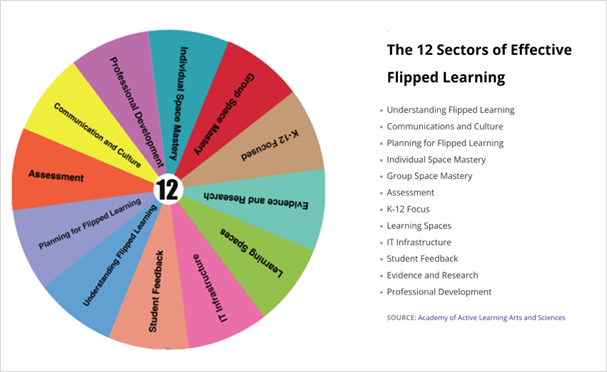
The 12 sectors of efficient Flipped Learning 3.0 provide a comprehensive framework for understanding and implementing this innovative teaching and learning approach. Each sector plays an important role in ensuring that flipped learning is effective, engaging, and beneficial for all learners. The 12 sectors cover all aspects of Flipped Learning 3.0, from understanding the core principles to planning and implementing flipped learning experiences. This makes the 12 sectors a valuable resource for educators who are new to flipped learning or who want to improve their flipped learning practices. Besides this, they highlight the importance of considering factors such as learners’ learning styles, prior knowledge, and interests when planning flipped learning experiences. This ensures that Flipped Learning 3.0 is relevant and engaging for all students. Furthermore, they highlight the research that supports the effectiveness of flipped learning. This evidence can help educators to make the case for flipped learning to their administrators and colleagues. Finally, the 12 sectors provide practical advice on how to implement flipped learning in different educational settings. This advice can help educators to overcome challenges and implement Flipped Learning 3.0 successfully.

Twelve-sectors-EBI
The twelve sectors of efficient Flipped Learning 3.0 (Courtesy of FLGlobal, in the frame of the FAdE Erasmus+ project.)

These 12 sectors are:

  1. Understanding Flipped Learning
    This sector provides a comprehensive overview of the foundational concepts of Flipped Learning 3.0. It covers essential aspects like the flipped classroom model, which involves delivering instructional content outside the class and using in-class time for interactive activities and discussions. The flipped learning process is explained, emphasizing the importance of pre-recorded lectures, reading materials, and other resources to be consumed by students outside the classroom. Moreover, the sector outlines the various benefits of Flipped Learning 3.0, such as increased student engagement, improved understanding of complex topics, and enhanced critical thinking skills.
  2. Communication and Culture
    In this sector, the focus is on fostering a positive flipped learning culture within the classroom. Effective communication strategies with both students and parents are discussed to ensure everyone is well-informed and engaged in the learning process. Building a strong community of learners is emphasized, with guidance on promoting collaboration, open discussions, and mutual support among students to enhance the overall learning experience.
    Relevance for Adult Education: In this field of education, parents do not play any role. Nevertheless, the communication issue is relevant.
  3. Planning for Flipped Learning
    This sector delves into the intricacies of planning for the successful implementation of Flipped Learning 3.0. It guides educators on selecting appropriate content for pre-recorded lectures and readings, taking into account the learning objectives and learner needs. It explores strategies for creating engaging and interactive learning activities that effectively leverage the in-class time. Additionally, the sector offers insights on assessing student learning in a flipped classroom setting, including using formative assessments to monitor progress and employing summative assessments to evaluate the overall understanding of the subject.
  4. Individual Space Mastery
    Focused on empowering students to excel in their individual learning spaces, this sector offers practical advice on optimizing self-paced learning. Learners are guided on how to utilize pre-recorded lectures effectively and assigned activities to maximize their understanding of the subject. Furthermore, it provides strategies for students to seek help and support when needed, fostering a sense of autonomy and responsibility in their learning journey.

    Individual Learning Space EBI
    The Individual Learning Space prepares Learners for the group space. The used material covers Lower Bloom’s (Taxonomy) elements.
  5. Group Space Mastery
    This sector concentrates on cultivating effective group learning experiences within the flipped classroom environment. Learners are encouraged to develop strong collaborative skills, actively participate in discussions, and collectively solve problems. Techniques for facilitating group projects, peer learning, and constructive communication are discussed to create a dynamic and synergistic learning atmosphere.

    Group Learning Space EBI
    The Group Learning Space enables active and collaborative learning (addressing higher Bloom’s taxonomy elements)
  6. Assessment
    Addressing the crucial aspect of evaluating student progress, this sector explores diverse assessment strategies in the flipped learning context. It covers the use of formative assessments, allowing instructors to monitor learner understanding in real-time and adapt instructional approaches accordingly. Summative assessments are also explored to gauge overall learning outcomes. Additionally, the importance of providing timely and constructive feedback to students is highlighted as a means of facilitating continuous improvement.
  7. K-12 Focus
    This sector addresses the specific needs and challenges of K-12 students in the flipped learning environment. It delves into methods of differentiating instruction to cater to individual learning styles and abilities. Moreover, it offers insights on how to support diverse learners and ensure an inclusive learning experience. The effective integration of technology in K-12 education is also discussed, with an emphasis on age-appropriate tools and resources.
    Remark: This sector is not relevant for Adult Education.
  8. Learning Spaces
    This sector emphasizes the significance of designing conducive physical learning spaces that align with the principles of Flipped Learning 3.0. Practical tips for arranging the classroom to promote collaboration, interaction, and accessibility to resources are shared. Additionally, the effective use of technology to facilitate learning experiences is explored, with an emphasis on creating an inviting and productive learning environment.
  9. IT Infrastructure
    Focused on the technological backbone of Flipped Learning 3.0, this sector provides guidance on selecting suitable tools and resources to support the implementation of flipped learning. Strategies for managing technology effectively and troubleshooting common issues are shared, ensuring a seamless learning experience for both students and teachers.
  10. Student Feedback
    This sector underscores the value of gathering feedback directly from learners to enhance the effectiveness of Flipped Learning 3.0. Various methods for collecting meaningful feedback are explored, including surveys, discussions, and informal conversations. Guidance on analysing student feedback to identify strengths and areas for improvement in the flipped learning approach is provided, thereby enabling continuous refinement of the teaching and learning process.
  11. Evidence and Research
    Rooted in empirical data and research findings, this sector highlights the benefits, challenges, and best practices of flipped learning. It presents a comprehensive overview of the evidence supporting the positive impacts of flipped learning on student engagement, academic achievement, and critical thinking skills. Additionally, it addresses the challenges and potential pitfalls that educators may encounter during implementation, along with evidence-based strategies to overcome them.
  12. Professional Development
    This sector addresses the importance of equipping educators with the necessary skills and knowledge to effectively implement flipped learning. It explores the process of introducing Flipped Learning 3.0 to instructors, ensuring they understand the underlying principles and methodology. Strategies for providing comprehensive training and ongoing support to teachers, such as workshops, mentorship, and collaborative learning communities, are discussed, emphasizing the importance of continuous professional development to foster successful flipped learning environments in educational institutions.


The term “Peer Review”

The term “Peer Review”

In projects, we often use the term “Peer Review“. Unfortunately, peer review can mean different issues. Peer review is used to jointly develop documents as well as to review the quality of a document. The main differences involve the process to enhance a jointly developed document by adding content, comments, and suggestions. Another type  focuses on evaluating the quality, content, document structure, and layout (including typos) of a document.

Different relevant items

These distinct approaches serve different purposes in the review process.

  • Purpose
    The purpose of a peer review to enhance a jointly developed document is to improve the content and structure of the document by adding content, comments, and suggestions. The purpose of a quality review of a document is to evaluate the content, document structure, and layout of the document to ensure that it is accurate, clear, and easy to read.
  • Audience
    The audience for a review to enhance a jointly developed document is the authors of the document. The audience for a quality review of a document is typically the author of the document, but it can also be other stakeholders, such as editors, publishers, or readers.
  • Type of feedback
    The feedback provided in a peer review to enhance a jointly developed document is typically more informal and open-ended. The feedback provided in a quality review of a document is typically more formal and structured.
  • Timeliness
    Peer reviews to enhance a jointly developed document are typically conducted in a shorter timeframe than quality reviews of documents. This is because the goal of a peer review to enhance a jointly developed document is to improve the document before it is finalized, while the goal of a quality review of a document is to ensure that the document is of high quality before it is published or released.
peer review - European Initiative for Education Austria
Peer review can mean different issues – distinguished by the protagonists and the intended aims.

Comparison table of peer review

Here is a table that summarizes the key differences between peer review to enhance a jointly developed document and quality review of a document:

Feature Peer Review to Enhance a Jointly Developed Document Quality Review of a Document
Purpose Improve the content and structure of the document Evaluate the content, document structure, and layout of the document
Audience Authors of the document Author of the document, editors, publishers, or readers
Type of feedback Informal and open-ended Formal and structured
Timeliness Shorter timeframe Longer timeframe

b

Conference Mediacompetency

Conference Mediacompetency

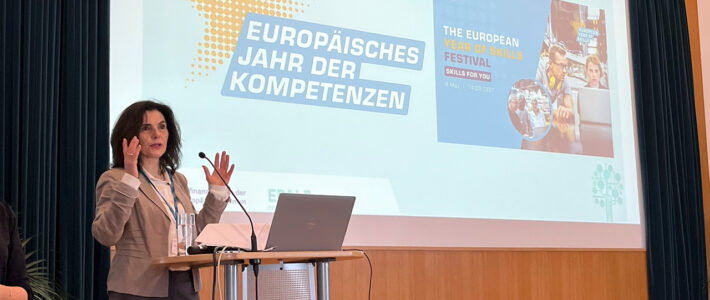
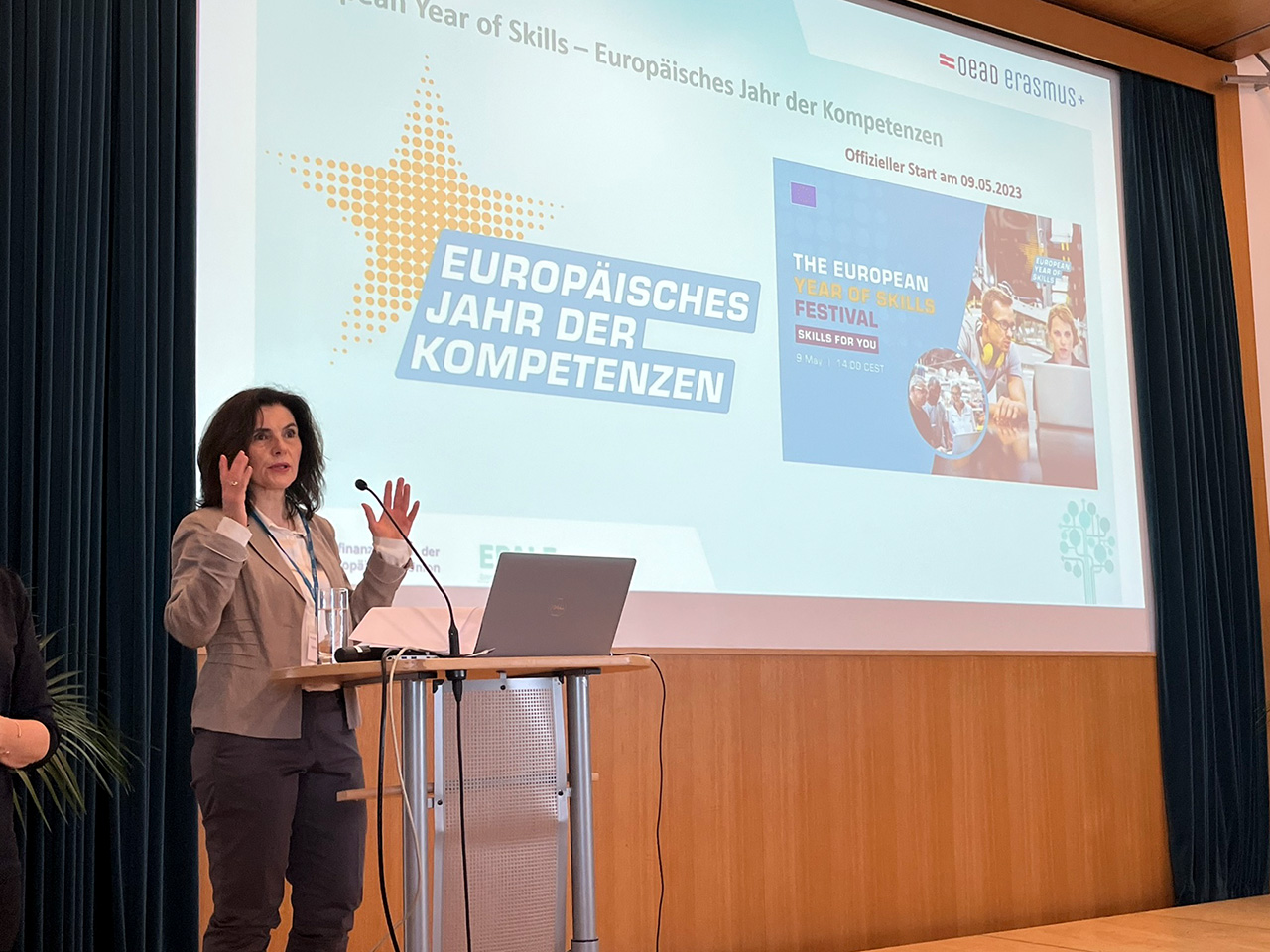
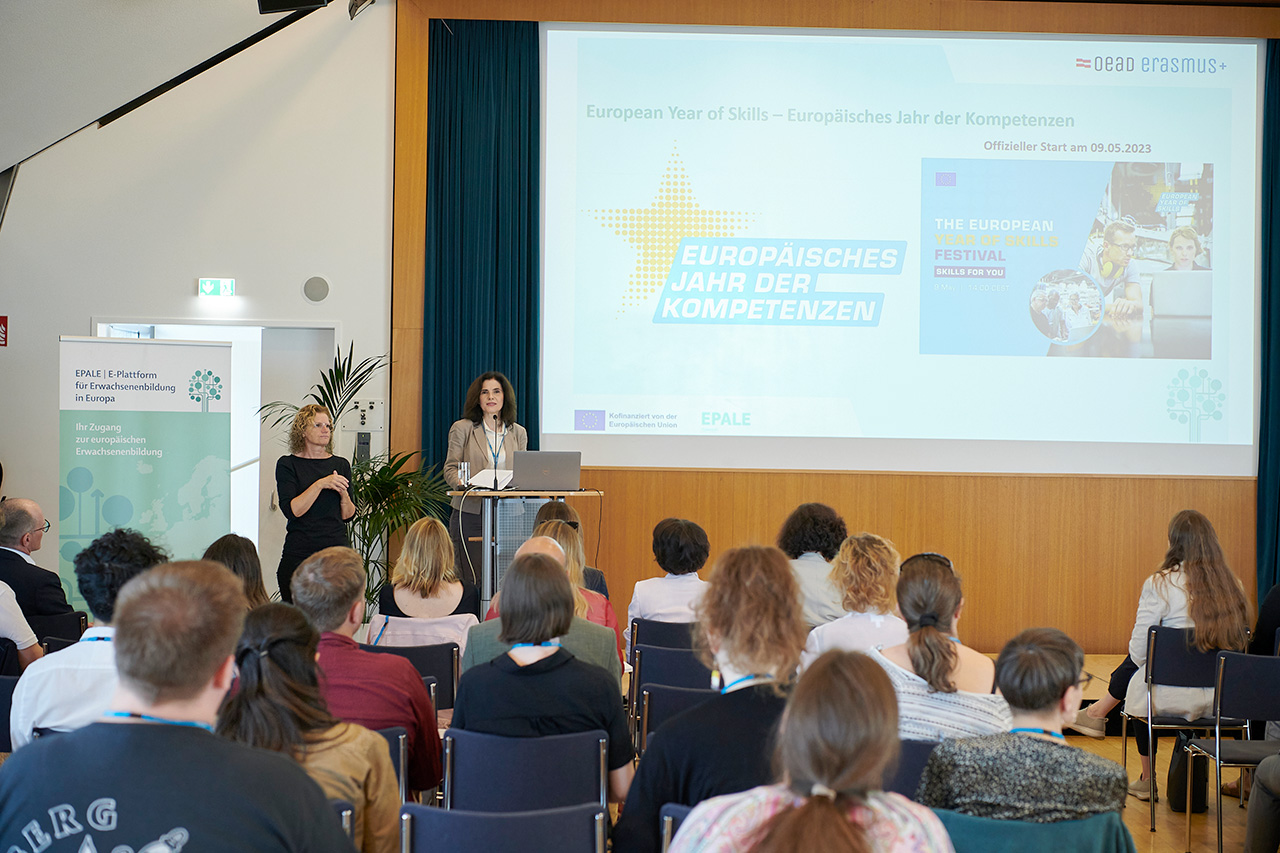
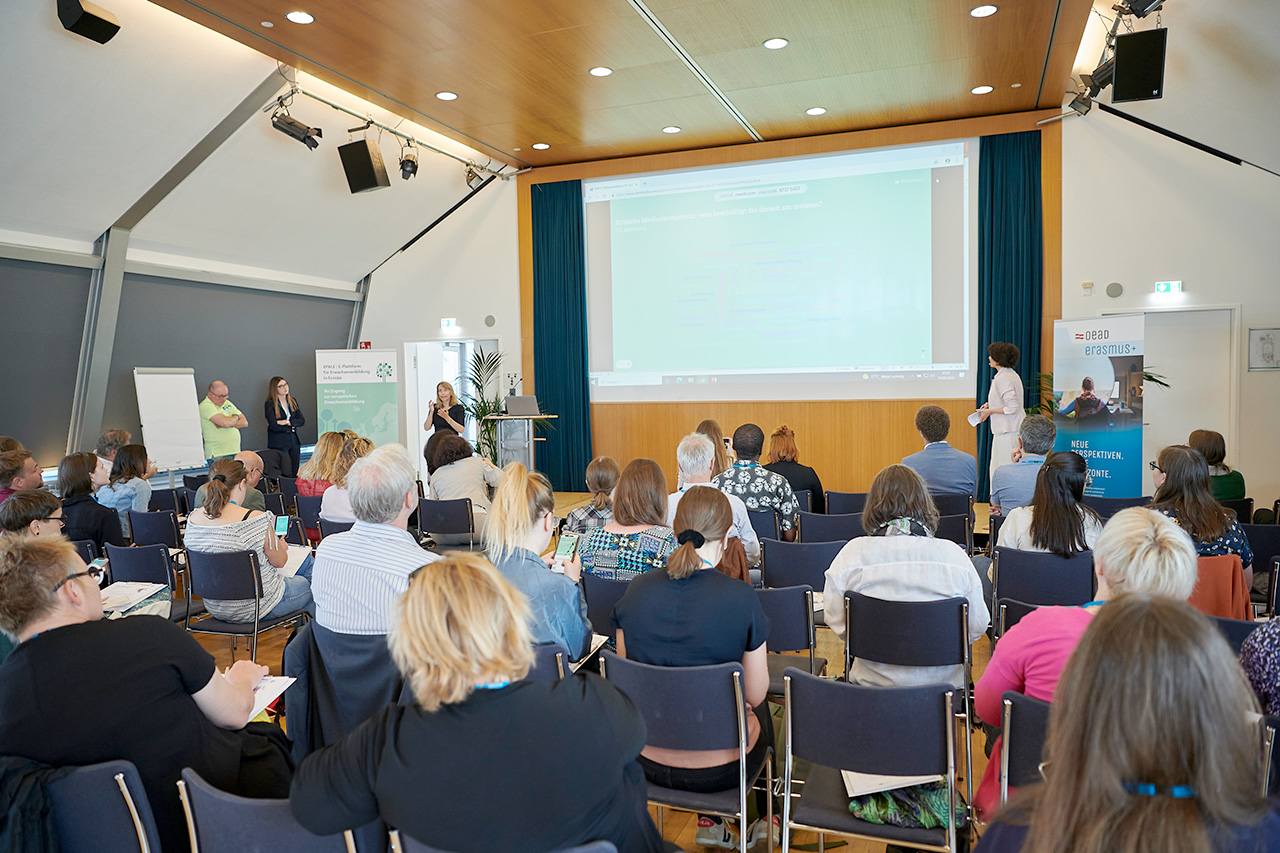
On June 14, 2023, the annual EPALE and Erasmus+ conference titled “Fact or Fiction? Teaching Critical Media Literacy in Adult Education” commenced at Urania in Vienna. With a clear aim of fostering media competence, the conference immediately focused on the need for critical engagement with digital phenomena. This included “fake news,” filter bubbles, hate postings, technologically driven manipulation of opinions, and the use of artificial intelligence in societal domains. Significantly, the development of critical media competency was deemed of central importance.

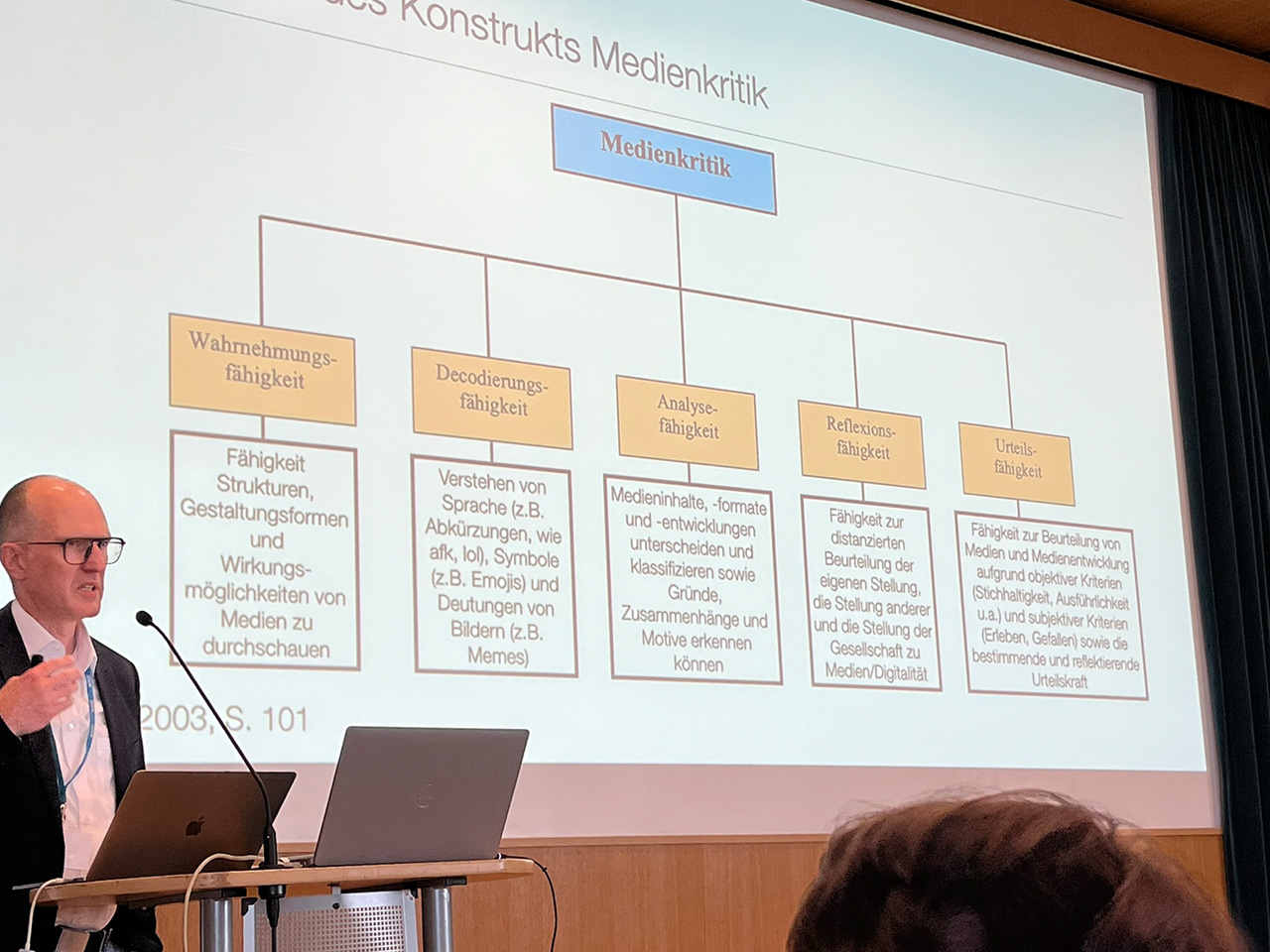
The event attracted several influential speakers, such as Carin Dániel Ramírez-Schiller from OeAD-GmbH/Europe Education Adult Education and Jeremias Stadlmair from BMBWF/Department of Adult Education. Additionally, Matthias Rohs from TU Kaiserslautern and Helmut Peissl from COMMIT lent their expertise. The keynote speeches notably centered around the value of critique and media criticism as the aim of adult education, followed by a transition into discussions on critical media competence from theoretical concepts to practical applications.

Ramírez-Schiller Medienkompetenz EBI
Carin Dániel Ramírez-Schiller, OeAD-GmbH/Europa Erwachsenenbildung

Added Value of the Conference

Additionally, the event showcased select Erasmus+ projects related to critical media competency. Notably, one such example was Erasmus+ PACT – Political Activism & Critical Thinking, presented by Petra Hauser from the Academy for Political Education and Democracy-promoting Measures in Linz. Subsequently, the concept of Digital Citizenship – Political Education and Critical Media Competence in the Digital Age was introduced, unfortunately, in a less engaging presentation by Lara Kierot from the Democracy Center Vienna.

Keynote Medienkritik EBI
Keynote: Der Wert der Kritik. Medienkritik als Ziel von Erwachsenenbildung (Matthias Rohs, TU Kaiserslautern)

Networking and media competence

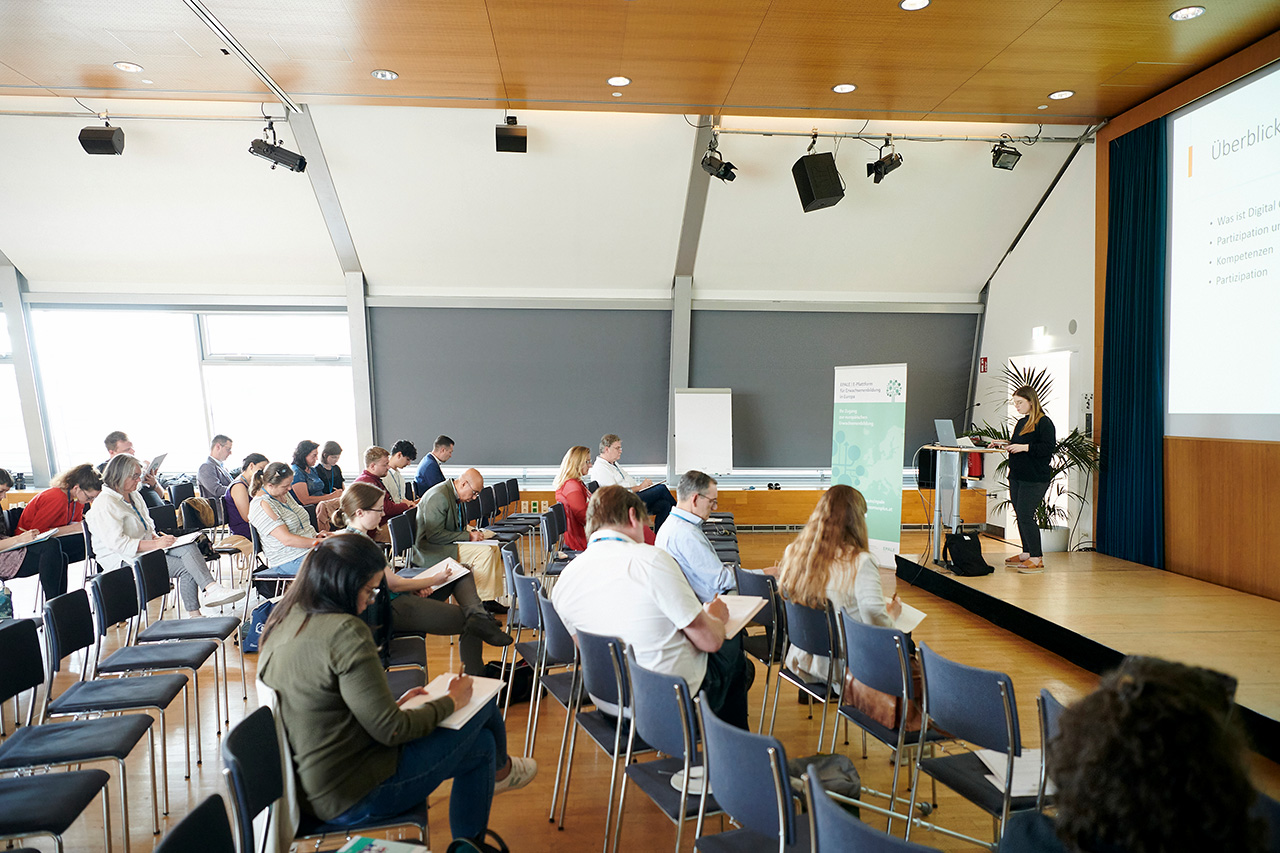
The conference encouraged networking among project carriers and provided an opportunity to explore the challenges and responses in adult education to societal digital phenomena. People with the same interest could care for knowledge and experience exchange in the frame of media competence and the integration of this important issue in their training courses.

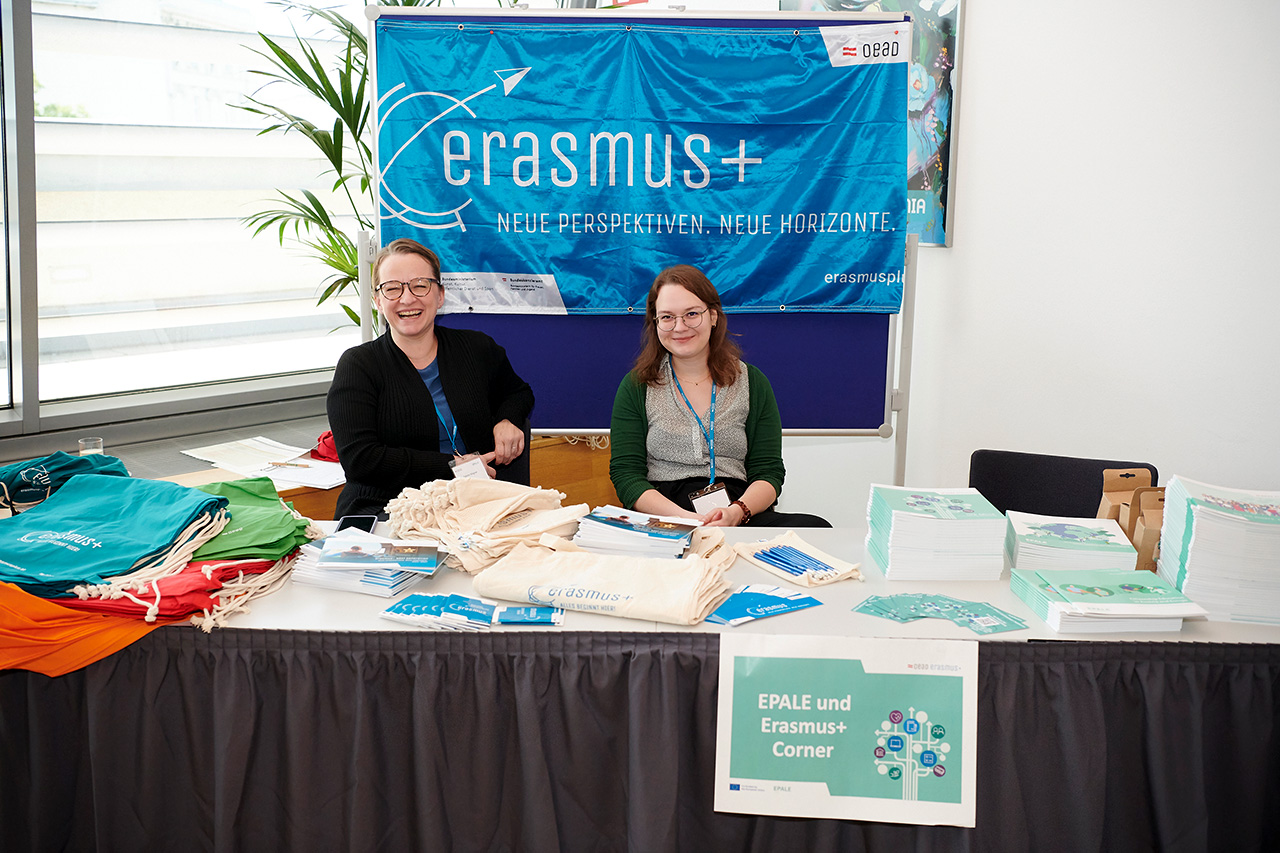
Peter Mazohl, the head of the EBI, participated. Here are some images of from this event.

WordPress as a Learning Platform

WordPress as a Learning Platform
Using WordPress plugins to create a Learning Management System (LMS) offers a flexible and cost-effective solution for building an online educational platform. Several popular plugins, such as Tutor, LearnPress, Masteriyo, and Lifter LMS, provide various features and functionalities to manage courses, deliver content, track student progress, and facilitate interactive learning experiences. These plugins empower educators and organizations to customize and shape their LMS according to their specific needs while leveraging the user-friendly WordPress interface.

WordPress, when combined with suitable plugins, offers a wealth of opportunities and added value as a Learning Management System (LMS1). With its user-friendly interface and extensive plugin ecosystem, WordPress provides a flexible and accessible platform for creating and managing online courses.

Key benefits

One of the key benefits of using WordPress as an LMS is its simplicity and ease of use. The familiar and intuitive interface makes it easier for educators and learners to navigate and interact with the system. Additionally, WordPress offers a wide range of customizable themes, allowing users to create visually appealing and engaging learning environments.

WordPress plugins designed specifically for LMS functionality further enhance the capabilities of the platform. Plugins like Tutor, LearnPress, Masteriyo, and Lifter LMS bring features such as course management, content delivery, assessment tools, and student tracking. These plugins empower educators to design comprehensive courses, organize content, and monitor student progress, thereby facilitating effective learning outcomes.

Flexibility of a WordPress-based Learning Platform

Another advantage of using WordPress as an LMS is its scalability and flexibility. The platform can accommodate various types of educational institutions, from small tutoring centers to large universities. With the ability to handle multiple courses, user registrations, and assignments, WordPress ensures that educational organizations can scale their offerings as their needs grow.

WordPress LMS
Numerous PlugIns exist for WordPress to give the CMS2 the functionality of an LMS.

The plugin ecosystem for WordPress LMS solutions also adds value by providing diverse functionalities. For instance, plugins like Tutor and Lifter LMS offer options for discussion forums, gamification elements, certificates, and social learning features. These extensions enable interactive and collaborative learning experiences, enhancing student engagement and knowledge retention.

Furthermore, WordPress LMS solutions are often cost-effective compared to dedicated learning management systems. By leveraging WordPress, which is an open-source platform, educators and organizations can save on licensing fees and development costs. The availability of free and premium plugins also allows for customization without extensive programming knowledge.

WordPress-based Learning Platform community

Another significant advantage is the extensive community support and resources available for WordPress. As one of the most widely used content management systems, WordPress has a large community of users, developers, and experts who actively contribute to its development and provide assistance. This means that educators and administrators can access forums, tutorials, and documentation, ensuring they can find solutions and best practices for their LMS implementation.

In conclusion, using WordPress with appropriate plugins as an LMS offers numerous opportunities and added value for online education. Its user-friendly interface, customizable themes, and extensive plugin ecosystem enable educators to create engaging learning environments. The scalability, flexibility, and cost-effectiveness make WordPress a compelling choice for educational institutions of all sizes. With the continuous development and community support, WordPress LMS solutions are poised to play a significant role in shaping the future of online learning.

The InterMedia Project

The EBI coordinated the InterMedia Erasmus+ project. In the frame of this project, four different WordPress  Plugins have been selected to create pilot Learning Platforms based on WordPress. The findings, evaluation of the plugins and other related outcomes of this project are available from the InterMedia project webpage.

1 LMS stands for Learning Management System, which refers to a software platform or system used for creating, managing, and delivering educational courses and content.

2 CMS stands for Content Management System, which is a software application used for creating, managing, and organizing digital content such as websites, blogs, or online platforms, allowing users to publish and update content without extensive programming knowledge.


Multiple Devices in the Learning Process

Multiple Devices in the Learning Process

The term “Multiple Devices” refers to the use of more than one device to access and interact with digital content. In today’s world, people commonly use multiple devices such as smartphones, tablets, laptops, and desktop computers to perform various tasks, including learning and education. For example, a learner might use a smartphone to read an article on a bus, switch to a tablet to watch a video on the topic during a lunch break, and then continue their learning on a desktop computer when they get home. The use of multiple devices provides users with the flexibility to engage with content at their own pace and convenience, and it can also enhance the overall learning experience. However, the use of multiple devices can also pose challenges, such as technical issues and cognitive overload, that need to be addressed to ensure an effective learning experience.

Multiple Devices
Multiple Devices differ in screen sice, the (physical) keyboard, the processor’s power and other crucial issues.

Problems & Obstacles

Using multiple devices for training can present some challenges that can affect the learning experience. One of the issues that learners might face when using multiple devices is related to the differences in screen sizes. When switching from a smaller device, such as a smartphone or tablet, to a larger device, such as a desktop computer, the content layout and readability might change, leading to difficulties in following the training material. On the other hand, switching from a larger device to a smaller one could make it challenging to view content in detail, especially when the material involves diagrams, graphs, or small text. Another problem that can arise is related to the use of physical keyboards. While some devices have physical keyboards, such as laptops and desktop computers, others rely on virtual keyboards, such as smartphones and tablets, which can make it difficult for learners to type or take notes quickly and accurately. As a result, these challenges need to be considered when designing training courses delivered across multiple devices to ensure that the learning experience is optimized and effective for all learners.

Recommendations

To avoid problems related to the use of multiple devices in training, several recommendations can be considered. Firstly, it is important to ensure that the training material is designed to be responsive, which means that the content layout can adapt to different screen sizes and resolutions. This can help to ensure that the content is readable and accessible on any device, regardless of its screen size. Secondly, training courses should be designed to be platform-independent, which means that they can be accessed from any device and operating system. This can help to ensure that learners can access the training material using their preferred device without any compatibility issues. Thirdly, if learners need to use virtual keyboards, it is essential to provide them with guidelines on how to type effectively, such as using the auto-correction feature, predictive text, or voice dictation. Additionally, learners can benefit from tools such as stylus pens or external keyboards that can help to enhance the typing experience on smaller devices. Overall, these recommendations can help to ensure that the use of multiple devices does not hinder the learning experience and that learners can benefit from the flexibility and convenience of using different devices for their training.

The “Multiple Device Guide”

Multiple Devices ReportThis document presents an analysis of the use of multiple devices in the context of multimedia-based learning. The paper includes an empirical study of learners who have used multiple devices to access and engage with learning materials. The study findings reveal that the use of multiple devices can enhance the overall learning experience for learners by providing flexibility, convenience, and accessibility. However, the study also identified several challenges associated with the use of multiple devices, such as technical issues and cognitive overload. Based on the study findings, the paper provides recommendations for the implementation of training courses delivered with multiple devices, including the need for clear guidelines and policies, user-friendly interfaces, and technical support. Overall, this document provides valuable insights for educators and trainers interested in leveraging the potential of multiple devices for enhancing the learning experience.

This guide has been developed in the frame of the InterMedia Erasmus+ project.


The European Commission support for the production of this publication does not constitute an endorsement of the contents which reflects the views only of the authors, and the Commission cannot be held responsi­ble for any use which may be made of the information contained therein.